Microsoft Edge
1. Press the keys [Shift], [Ctrl] and [Delete].
2. Select Cookies and other site data and Cached images and files.
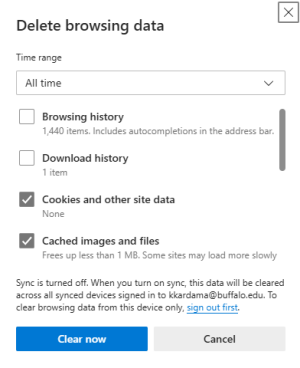
3. Click Clear now.
4. Exit/quit all browser windows and re-open the browser.
1. Press the keys [Shift], [Ctrl] and [Delete].
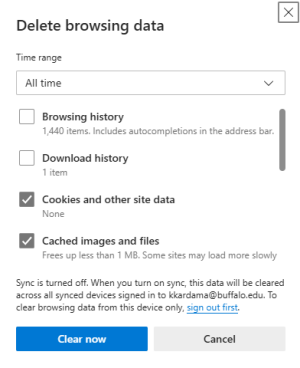
2. Select Cookies and other site data and Cached images and files.
3. Click Clear now.
4. Exit/quit all browser windows and re-open the browser.